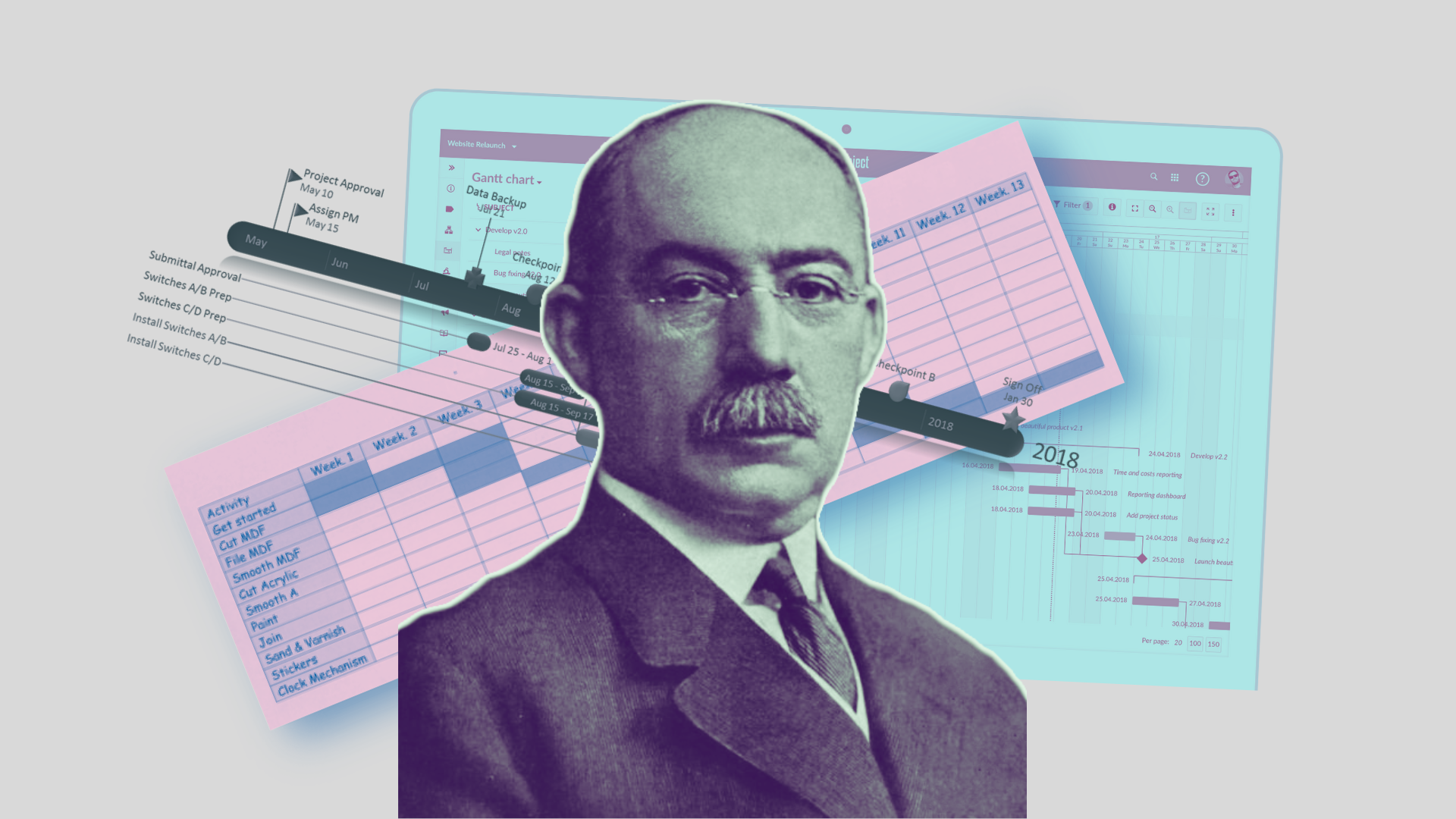

If you have ever had to deal with planning at work, you have surely heard of a Gantt chart. This popular project management tool helps to clearly visualise the tasks and timelines, providing a clear understanding of the processes and dependencies within a project. It is particularly important for teamwork.
In this Article, we will look at what a Gantt chart is, its advantages and disadvantages, and provide step-by-step instructions on how to create one. You will learn how to use this tool effectively in various fields of activity and how it can help you avoid typical problems in project management.
What is a Gantt chart?
A Gantt chart is a project planning tool.
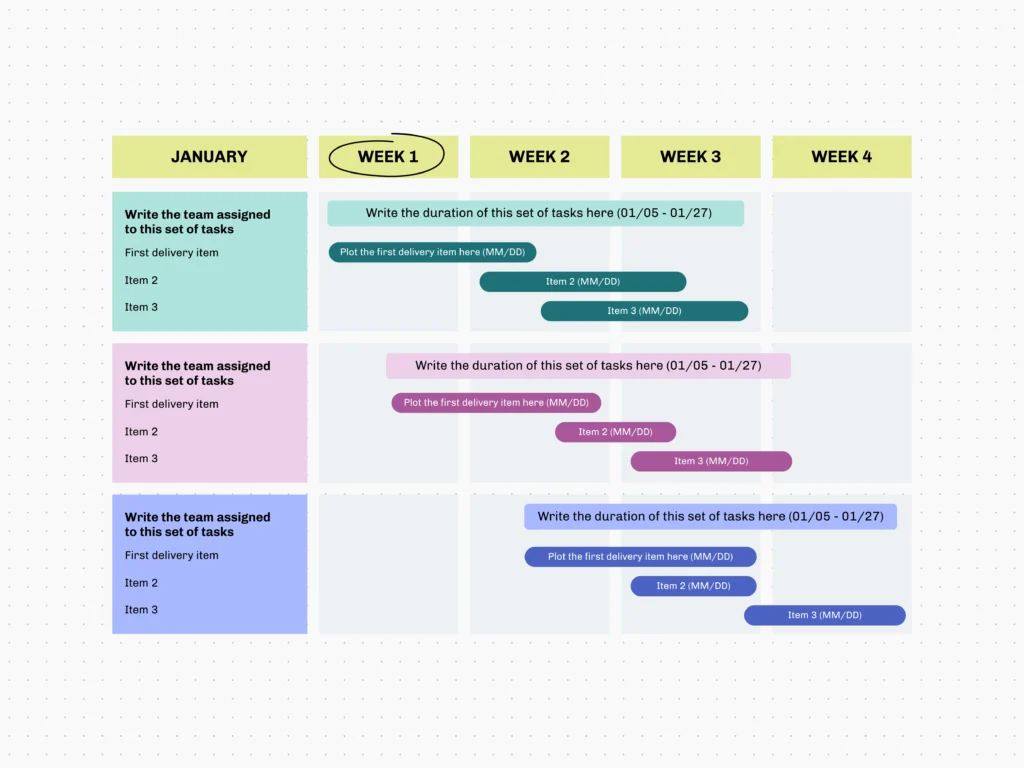
It is a graph consisting of two axes — a vertical axis listing the tasks and a horizontal axis showing the timelines. Each task is represented by a rectangle indicating who is responsible for its completion. A Gantt chart also has the arrows linking the tasks together (to illustrate the dependencies between the tasks). The Project Managers use this tool to manage the team comprising various specialists and even groups of the teams.
The chart was created and popularized by American engineer Henry Gantt. In the early XX century, it was drawn by hand. Nowadays, there are many programmes that automate the process.
Why should we use this tool?
A Gantt chart allows you to:
- Forecast the project timelines
- Distribute the tasks correctly among the employees, taking into account each employee’s workload
- Understand the dependence between the actions of different specialists
- See how a change to one task affects the entire project
- Easily identify the ‘bottlenecks’ and potential issues
- Take timely actions and make the necessary changes
- Quickly communicate the information to all team members
Visualisation helps the employees to:
- Plan their work
- Clearly see their colleagues’ progress
The tool’s versatility:
- It is used in various sectors of the economy: in construction, IT projects, event planning and educational tasks.
One of the most important advantages of a Gantt chart is its ability to facilitate teamwork. Imagine you are working on a group project. Every team member needs to know who is doing what and when it needs to be ready. A Gantt chart allows everyone to see the overall picture and track progress. This helps to avoid chaos and misunderstanding, as all tasks, their timelines and people responsible are clearly visible and understandable.
Who uses a Gantt chart
Project Manager:
- Responsible for creating the chart and making the changes
Project participants:
- Must understand the chart’s peculiarities and be familiar with the dependences
Company Director:
- Reviews the chart for high-level overview of the entire project
Clients:
- Monitor the progress of the project being carried out for them
Other stakeholders:
- Want to know about the progress and status of the project
How to create a Gantt chart
As we mentioned above, creating a Gantt chart only makes sense if you are planning a fairly complex project involving various specialists and teams. We will first explain a simple method, and then provide the detailed information needed to create an effective plan.
Simple Method
- Define the specific project tasks
- Appoint a person responsible for each task
- Set the duration of each task
- Create a horizontal time scale with the project start and end dates
- Create a vertical scale and place the tasks on it
- For each task, draw a horizontal bar showing the start and end of the task performance on the time scale
- Establish the dependencies between the tasks. Use the arrows or lines to show which tasks must be completed before others can begin.
Even a simple plan like this will boost your work efficiency by giving everyone involved a clear understanding of the tasks and timelines, helping to avoid confusion and procrastination, as well as improving coordination and control over the project.
Detailed Method
- First of all, you need to gather the input data – the tasks. The tasks are formulated using the Work breakdown structure tool. We discussed this in our material on the Project Manager at the Kazakh Migration. Don’t forget to create a change management plan to avoid Scope creep – uncontrolled expansion of the project boundaries, which can lead to failure to meet the timelines.
- You and your team need to draw up a task schedule: decide on the days and time when it will be most effective to carry out each task.
- We establish the dependencies between the tasks. The tasks can be parallel or sequential. It is also important to know 4 types of the dependencies between the tasks: finish-to-start, start-to-finish, start-to-start and finish-to-finish. The Article “It’s not a sprint, it’s a marathon: how to deal with the dependencies in project management” will help you to understand this in more detail.
- Identify the resources. They include man-hours, materials and equipment.
- Determine the duration of each task. It is precisely at this stage that we will need the data we had collected earlier about the resources, relationships and tasks sequence.
Is a Gantt chart always necessary?
This tool was invented to manage the complex projects and plan the work of large teams. And that is precisely why it is not always suitable for small or homogeneous teams. In some cases, it is easier to useproject time scale (which does not show the dependencies but highlights the key project milestones) or a calendar plan.
Main limitations of the tool:
- Creating a Gantt chart can take quite a long time – because you need to calculate the resource requirements and carry out other preparatory work.
- It does not indicate priority of the tasks, which complicates work when there is a shortage of the specialists or time.
- Furthermore, a Gantt chart does not specify the amount of the resources required – some tasks may take little time but require a relatively large amount of the materials or financial resources.
With practice and experience, you will learn to recognize when using a Gantt chart is most effective and appropriate. It is important to remember that this tool is not suitable for all projects, and sometimes it is simpler and quicker to use the alternative planning methods. However, when it comes to the complex projects with numerous interrelated tasks, a Gantt chart is an indispensable helper that significantly simplifies management and coordination of work.